Key Points
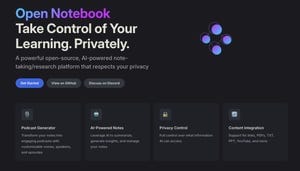
- Open Notebook mirrors NotebookLM’s AI features such as summaries, flash cards, and audio overviews.
- Runs locally via Docker, keeping user data on the device instead of Google’s servers.
- Supports multiple language models, including popular chatbots and local AI options.
- Provides a searchable knowledge base that spans all added sources.
- Allows creation of customizable podcasts with separate speaker profiles.
- Installation requires Docker and Linux familiarity, making it more technical than NotebookLM.
- Active community support via documentation and Discord helps users troubleshoot.
- Offers greater privacy and flexibility at the cost of a more complex setup.

Background and Core Concept
Open Notebook is a free, open‑source project designed to provide many of the same functions as Google’s NotebookLM, an AI research tool that helps users break down complex topics, create flash cards, and generate audio overviews. While NotebookLM operates as a cloud‑based service, Open Notebook focuses on privacy by allowing users to run the application locally. The platform accepts a variety of sources—documents, plain text, or web links—and uses them to power its AI‑driven features.
Key Features and Capabilities
Both tools let users feed information and receive outputs such as dense summaries, paper analyses, reflections, and key insights. Open Notebook adds several distinct capabilities. Its knowledge base aggregates all added sources, enabling keyword searches across the entire collection and allowing users to ask an LLM questions based on that aggregated data. The system also supports “Transformations,” which are customizable text outputs similar to NotebookLM’s studio panel.
Audio generation is another shared feature. NotebookLM’s “Audio Overviews” gained attention for turning text into spoken summaries. Open Notebook offers a comparable “podcast” function that lets users create separate speaker profiles, assign different AI models to each, and produce multi‑perspective audio content. Pre‑defined speaker options are also available for quick use.
Privacy and Local Execution
The most notable difference lies in data handling. NotebookLM sends user data to Google’s servers for processing, whereas Open Notebook can be configured to run local language models, keeping all interactions on the user’s device. This local execution not only enhances privacy but also reduces reliance on internet connectivity for responses.
Setup Process and Technical Requirements
Open Notebook’s installation diverges from the “sign‑in‑and‑go” experience of NotebookLM. Users must install Docker, set up a container, and possess a degree of Linux knowledge. The process can be challenging for those unfamiliar with containers or command‑line environments. The project’s documentation and community Discord channel provide guidance, but some users may still encounter obstacles, especially on Windows platforms, where macOS is reported to be easier.
Community and Support
Despite the technical hurdles, the Open Notebook community offers active support. Developers and users share troubleshooting tips, and the project’s open‑source nature encourages contributions that may streamline future installations. The flexibility to choose from popular chatbot options such as ChatGPT, Claude, or local models adds to its appeal for technically inclined users.
Conclusion
Open Notebook positions itself as a privacy‑centric, flexible alternative to NotebookLM. It replicates many of the latter’s powerful AI features while granting users control over their data and model selection. The trade‑off is a more complex setup that demands technical proficiency. For individuals and organizations prioritizing data sovereignty and customization, Open Notebook offers a compelling solution that complements the capabilities of Google’s cloud‑based offering.
Source: cnet.com