
Key Points
- Gemini AI adds personalized reply suggestions, thread summaries, and draft assistance to Gmail.
- All users receive free AI features; Google One subscribers gain advanced search summaries and proofreading.
- The new AI Inbox highlights priority messages and groups less urgent updates in a dedicated view.
- AI features roll out first to Trusted Tester participants before wider release.
- Disabling AI also removes other smart features like category tabs and calendar event extraction.
Gemini AI Expands Into Gmail
Google has begun integrating its Gemini artificial‑intelligence platform into Gmail, delivering a range of new tools designed to streamline email management and composition. The initiative is part of a broader effort to embed Gemini in nearly every Google product.
Free Features for All Users
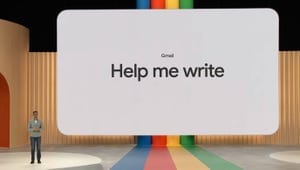
All Gmail accounts, whether accessed via web, iOS, or Android, will receive several AI‑driven capabilities. Personalized suggested replies improve on earlier Smart Replies by using Gemini to understand conversation context and mimic the user’s own tone. AI Overviews provide concise summaries of email threads, allowing users to grasp the most important points without reading every message. The Help Me Write tool lets users generate an entire email from a single prompt, helping with detailed or specific communications.
Premium Enhancements for Google One Subscribers
Google One members will gain access to additional AI functions. AI Overviews for Gmail Search enables natural‑language queries to locate information across past conversations, orders, and other data, delivering a brief summary of relevant content. The Proofread feature offers one‑click corrections for grammar, structure, word choice, and conciseness while drafting emails. Both capabilities are initially available to Ultra and Pro subscribers in the United States for English‑language accounts, with broader rollout planned.
AI Inbox: A New Prioritization Hub
The centerpiece of the update is the AI Inbox, a redesigned view that surfaces the most important messages and time‑sensitive items. The AI Inbox is divided into two sections: Priorities, which highlights crucial emails, action items, and due dates; and Catch Me Up, which aggregates less urgent updates such as reservations, online orders, and deliveries. The feature is first being tested with participants in Google’s Trusted Tester program before expanding to the wider user base.
Disabling the AI Features
Users who prefer not to use the new AI tools can turn them off, though disabling smart features also removes other conveniences. Turning off AI disables category tabs (Social, Promotions, Updates) and stops Google Calendar from automatically pulling events and invitations from email. The process involves navigating Gmail settings, unchecking the “Turn on smart features” option, and toggling off Workspace smart features.
Looking Ahead
As the AI Inbox and related tools evolve based on tester feedback, Google continues to position Gemini as a core component of its productivity suite. Competitors such as Microsoft and OpenAI are also introducing AI companions and browsers, indicating an industry‑wide shift toward integrated artificial‑intelligence assistance in everyday applications.
Source: cnet.com