
Key Points
- Human faces often show distorted eyes, teeth, or eyebrows.
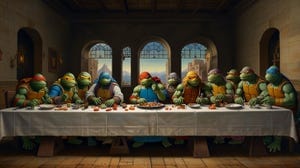
- Accurate logos and trademarked characters are rarely produced.
- Complex, overlapping elements can disappear or become nonsensical.
- Repeated edits may cause hallucinations and odd artifacts.
- Reduce the number of subjects in a prompt to improve facial accuracy.
- Use milder adjectives to guide expression generation.
- Simplify prompts or adjust aesthetic style for complex scenes.
- Leverage built‑in editing tools to fix specific problem areas.
- Consider redesigning concepts to avoid copyrighted symbols.
- Always credit AI‑generated images when sharing them.
Persistent Challenges in AI‑Generated Images
Even the most advanced AI image generators can produce unsettling results when tasked with rendering human faces and expressions. Subtle details such as eyes, teeth and eyebrows often appear distorted, making the output unusable. The same difficulty extends to cartoon‑style characters, where exaggerated emotions can be over‑amplified.
Accurately reproducing recognizable logos, trademarks or iconic characters is another common shortfall. Legal concerns and gaps in training data keep AI models from delivering faithful renditions of well‑known brands, leading to vague or incorrect depictions.
Complex scenes with overlapping elements also trip up the systems. When too many objects intersect, the generator may drop parts of the composition or create nonsensical details, especially in photorealistic or stock‑style images.
Finally, repeated edits can introduce hallucinations—unintended artifacts that make little sense—underscoring that AI tools are not yet self‑correcting.
Effective Workarounds and Best Practices
To mitigate facial errors, users can ask the service to render fewer people at once, reducing the chance of mistakes. Selecting milder adjectives—opting for “angry” instead of “enraged”—can also guide the model toward more accurate expressions.
When logos or trademarked symbols are essential, the safest path is to redesign the concept to avoid copyrighted material. If a brand element is still needed, consider using a generic stand‑in, such as a phone displaying a vertical video instead of a specific app logo.
Simplifying prompts helps resolve issues with overlapping or intricate components. Post‑generation editing tools that let users isolate problem areas and request targeted regeneration are especially useful. Changing the aesthetic style can further reduce errors in complex scenes.
When hallucinations appear after multiple edits, the most reliable strategy is often to discard the current batch and start fresh with a refined prompt, focusing on core elements first and leaving minor tweaks for later.
Human Oversight Remains Crucial
Despite rapid advances, AI image generators still require human intervention to achieve polished results. Credit or acknowledgment of AI‑generated visuals is advised, as the technology continues to blur the line between synthetic and authentic imagery.
Source: cnet.com